Follow the steps below to reset your password and be on your way to booking your next class!
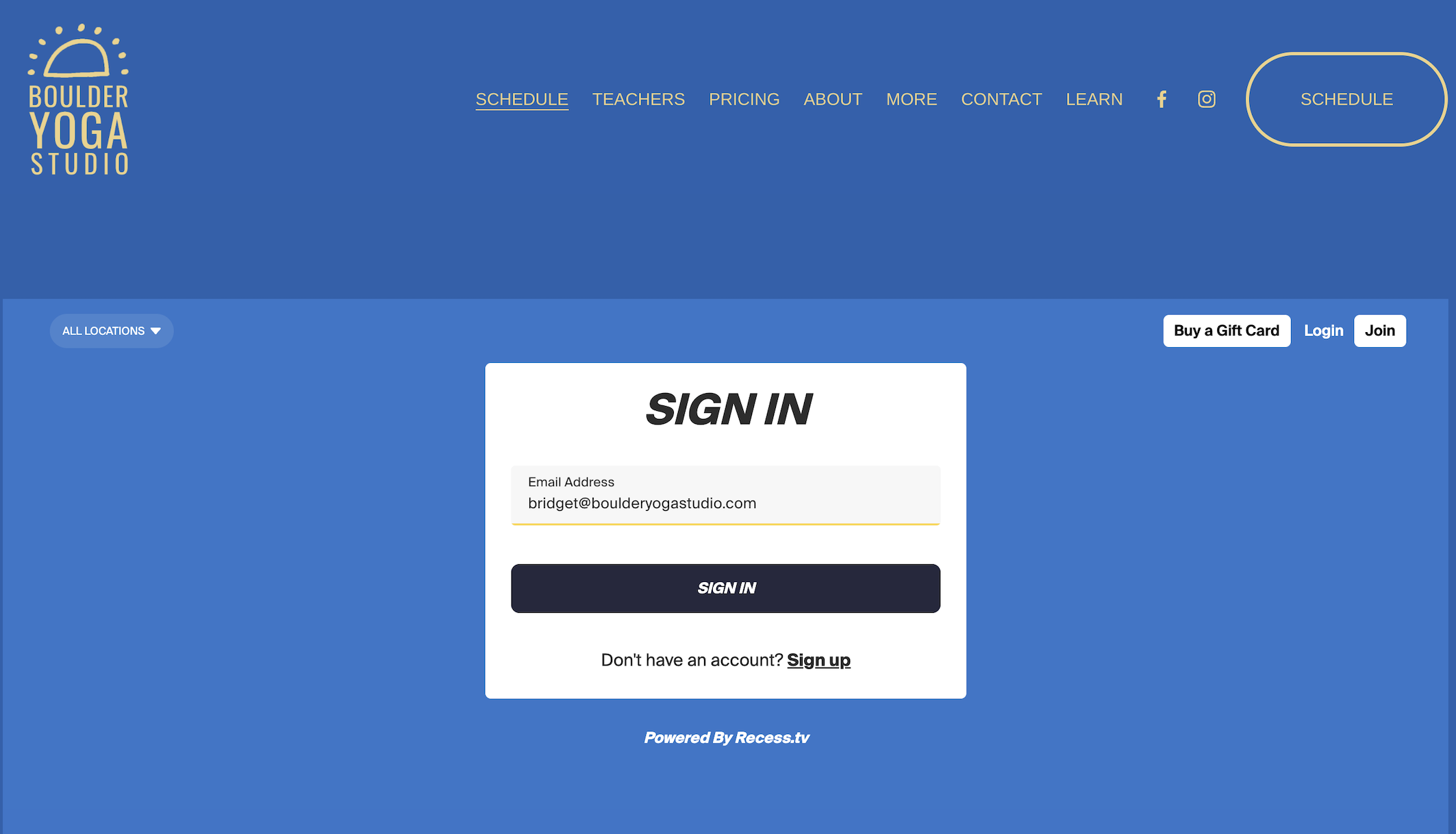
Step 1: Click “Login”. Enter your email address and click “Sign In”
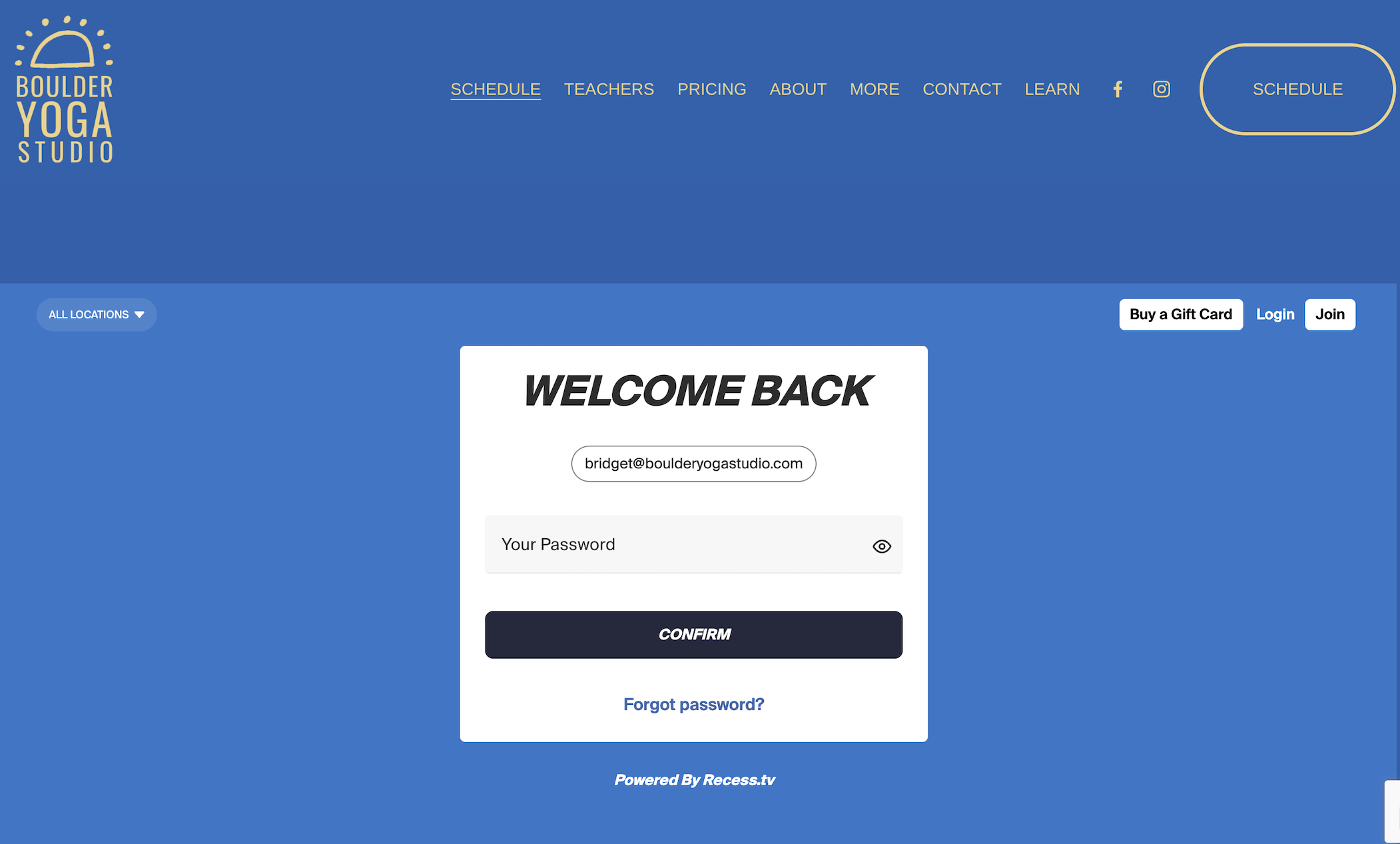
Step 2: Click “Forgot password?”
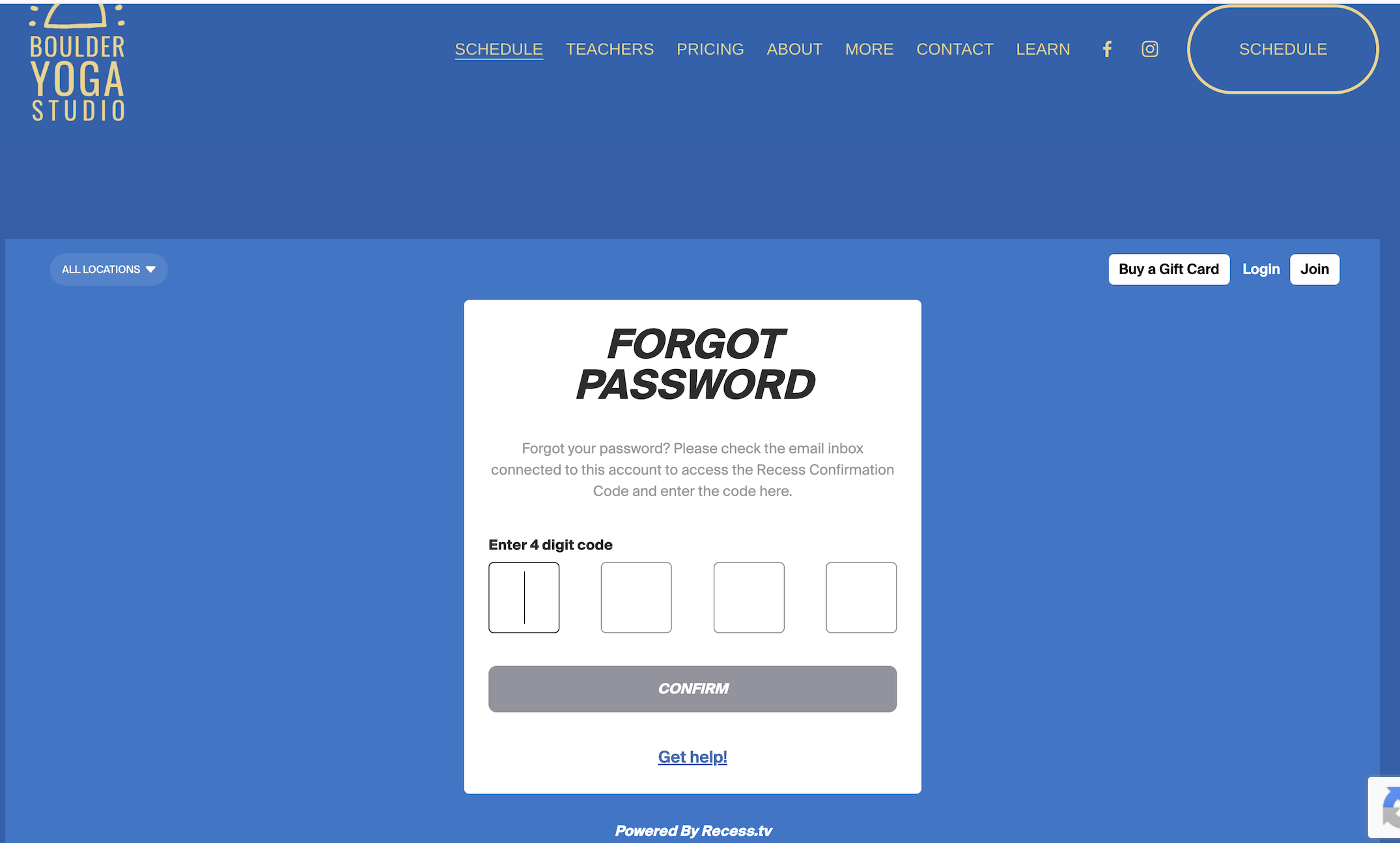
Step 3: Enter the 4 digit code sent to your email. Be sure to check your spam folder if you don’t see it!
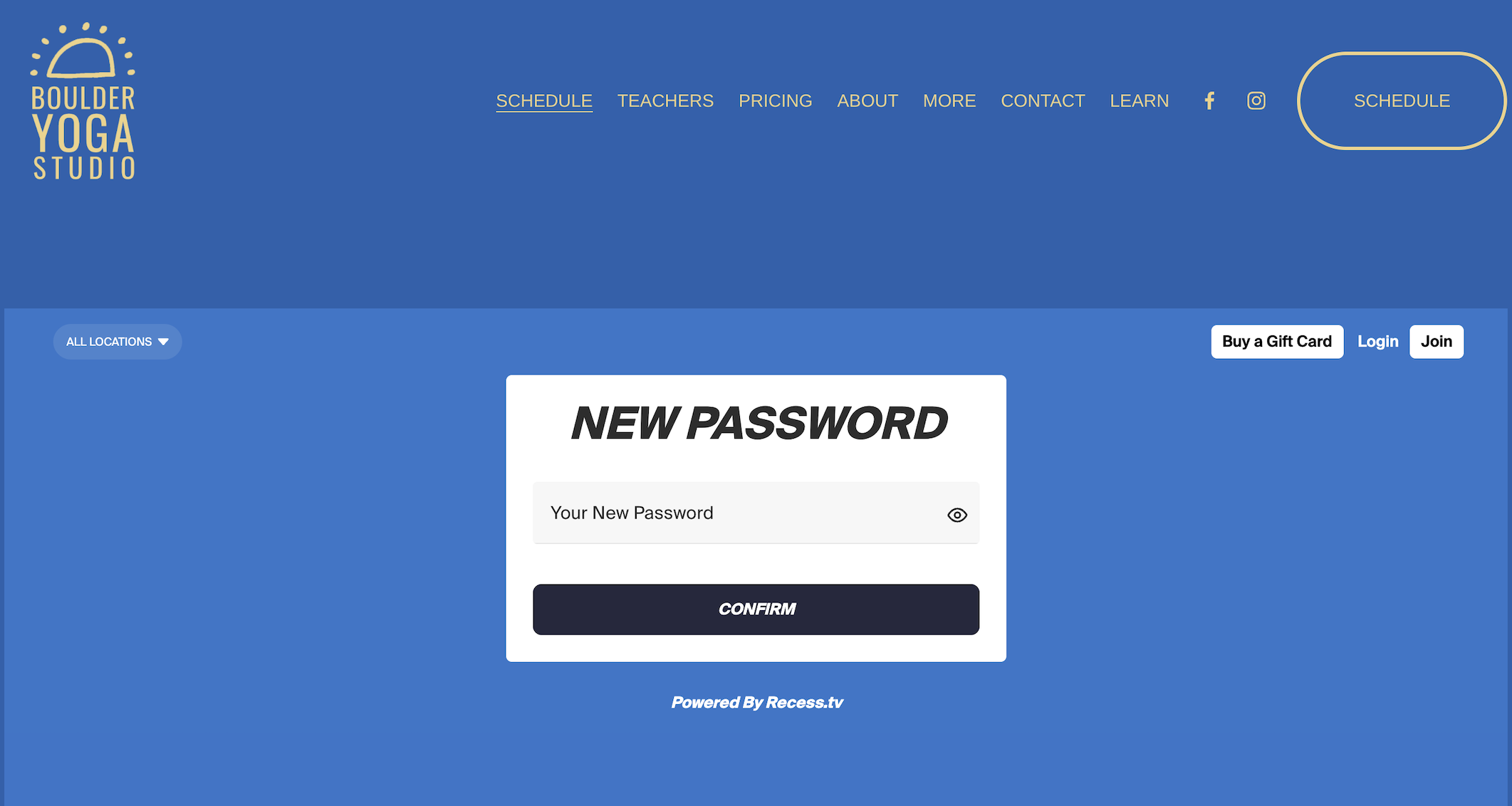
Step 4: Create your new password!
Once you’ve done followed these steps, you should be all set. Don’t hesitate to reach out to us at hello@boulderyogastudio.com or at (970) 406-7750 if you need further assistance.